AI that helps you plan, shoot and edit content

Know what to shoot before you press record.

Every AI video tool starts after you've filmed. Rushes starts before the camera does: it plans your shots, guides you while you shoot, then edits your footage into finished content.
Plan 17 s

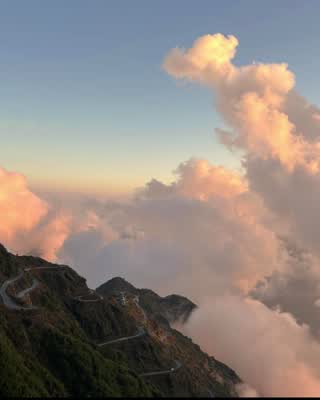
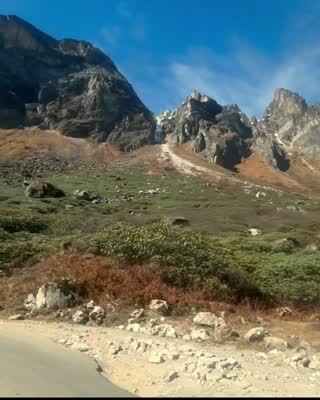
A rapid, dynamic collage of Himalayan landscapes

establishjourneydetailpayoff
Opens
A grid that builds
From
An example you love, or your words
Shot card grid-build

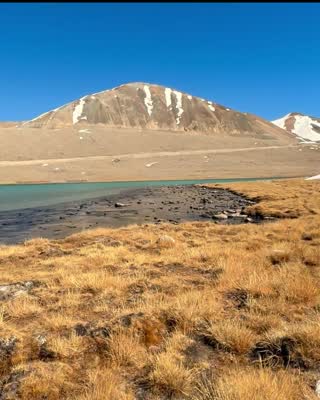
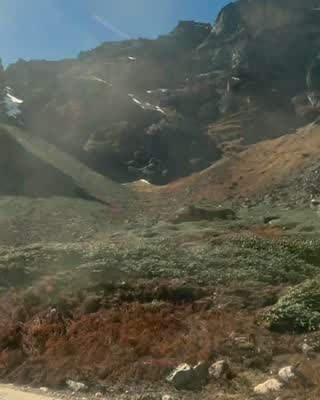
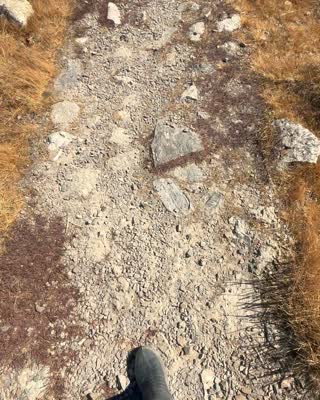
Four distinct moments from the trip (a lake, a road, flags, people) appearing one by one

Layout
Grid
Clips
4
Camera
Still
Each
2.5 to 3 s
  • Four visually distinct scenes
  • Static camera
  • Clear subjects
Shot card roads-montage

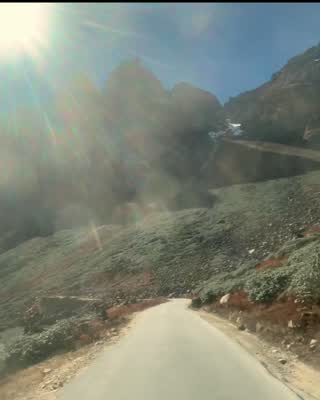
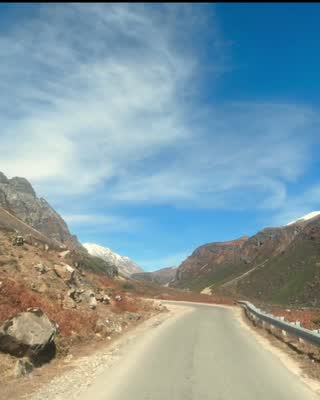
Quick cuts of winding mountain roads, from inside or outside the vehicle

Framing
Wide
Camera
Moving
Clips
Need 8, aim for 12
Each
1.5 to 3 s
  • Clear view of the road and mountains
  • Smooth motion
  • Good lighting

The plan, as it plays

  1. journeyShow the rugged, beautiful travel route.
  2. detailHighlight specific moments.
  3. payoffEnd with the most breathtaking vistas.

Want a change?

make the ending slower

Say it in plain words. Only the ending changes.

  1. A camera roll with no plan
  2. Rushes writes the shot cards
  3. The finished cut

A camera roll with no plan

Rushes writes the shot cards

Plan 17 s

A rapid, dynamic collage of Himalayan landscapes

establishjourneydetailpayoff
Opens
A grid that builds
From
An example you love, or your words
Shot card grid-build

Four distinct moments from the trip (a lake, a road, flags, people) appearing one by one

Layout
Grid
Clips
4
Camera
Still
Each
2.5 to 3 s
  • Four visually distinct scenes
  • Static camera
  • Clear subjects
Shot card roads-montage

Quick cuts of winding mountain roads, from inside or outside the vehicle

Framing
Wide
Camera
Moving
Clips
Need 8, aim for 12
Each
1.5 to 3 s
  • Clear view of the road and mountains
  • Smooth motion
  • Good lighting

The finished cut

An excerpt of a video Rushes planned and cut from the founder's trip to Sikkim. Music removed.

The problem

You find out what you missed when it's too late to film it.

People film everything on a trip and rarely look back at it. They want the perfect post, and getting it is stressful.

  1. Idea
  2. Shoot
  3. Edit
AI tools today
Rushes
Other AI tools start with footage you already have. Rushes starts with the idea, so the shots you need get filmed.

How it works

One loop, from an idea to finished content.

Each step leaves something you can check: a style card, shot cards, a cut.

  1. Say what you want, or show it something you love.

    Describe the post in a sentence, or give it an example to learn from. You don't need any footage yet.

    Our Sikkim trip. Fast, a collage of the mountains. Open on a grid.

    An example video, drawn as its shots on a timeline. Wider blocks are longer shots.
  2. It turns your example into a style card.

    Code measures how the reference is cut: the pace over time, the colour, grids, transitions, the title, and how it opens and ends.

    If the style doesn't suit your footage, it adapts it and tells you why.

    Style card · cinematic

    3.5 s3.1 s6 s startmiddleend

    Typical shot length, start to end

    Shots
    12, typically 3.55 s
    Ending
    Holds the last shot for 6 s
    Transitions
    Mostly dissolves
    Look
    Warm, saturated
  3. An AI director writes the shot cards.

    What to film, wide or close, still or moving, how many clips, how long each, and what counts as good enough. Each card shows a frame from your reference, so you can see the look.

    You find the gaps now, not in the edit.

    Shot card grid-build
    The look, as a frame from your reference

    Four distinct moments from the trip (a lake, a road, flags, people) appearing one by one

    Layout
    Grid
    Clips
    4
    Camera
    Still
    Each
    2.5 to 3 s
    • Four visually distinct scenes
    • Static camera
    • Clear subjects
    Shot card roads-montage
    The look, as a frame from your reference

    Quick cuts of winding mountain roads, from inside or outside the vehicle

    Framing
    Wide
    Camera
    Moving
    Clips
    Need 8, aim for 12
    Each
    1.5 to 3 s
    • Clear view of the road and mountains
    • Smooth motion
    • Good lighting
  4. You shoot with the cards in hand.

    The iPhone app holds the shot cards, and its camera guides each shot. Your reference frame sits over the viewfinder, so you can line up the look you're after.

    • Reference frame. Laid over the live view, so you can line up the shot.
    • Level. Turns amber when the phone tilts.
    • Take timer. Counts toward the length the card asks for.
    • Shake warning. Before a shaky take costs you a clip.
  5. It edits your footage into the finished piece.

    Your shots go in the order the plan set, cut at the pace of your example, with its colour and its opening.

    • The plan's order
    • Your example's pace
    • Its colour and opening
  6. Say what to change. Only that part changes.

    Tell it in plain words. It changes the part your note is about and keeps the rest of the plan as it was.

    make the ending slower

    Before

    After

    Shots in the cut, drawn to length. Only the last one changed.

What makes it different

It starts where other tools don't: before the footage exists.

  1. It learns the edit from something you love.

    Code measures how the reference is cut: pace over time, colour, grids, transitions, the title, the opening and the ending. The plan has to follow that style card.

  2. It has taste.

    When the reference doesn't suit your footage, it adapts instead of copying. Fast cuts over mostly still photos look frantic, so it slows the pace, keeps the rest, and tells you why.

  3. It plans before you shoot.

    Shot cards say what to film, wide or close, still or moving, how many clips and how long each, with a checklist for good enough.

  4. It guides the shoot.

    The camera puts your reference frame over the viewfinder, with a level, a take timer and a shake warning, so each shot comes out the way the card asks.

  5. It checks its own work.

    Every render is measured for flicker, black frames and repeated footage before it is done. AI is creative. Code checks everything.

Early access

Going somewhere soon? Plan the shots first.

Starting with travel and short-form creators. Leave your email for early access.